Original vs Customized Checkout Section🔗
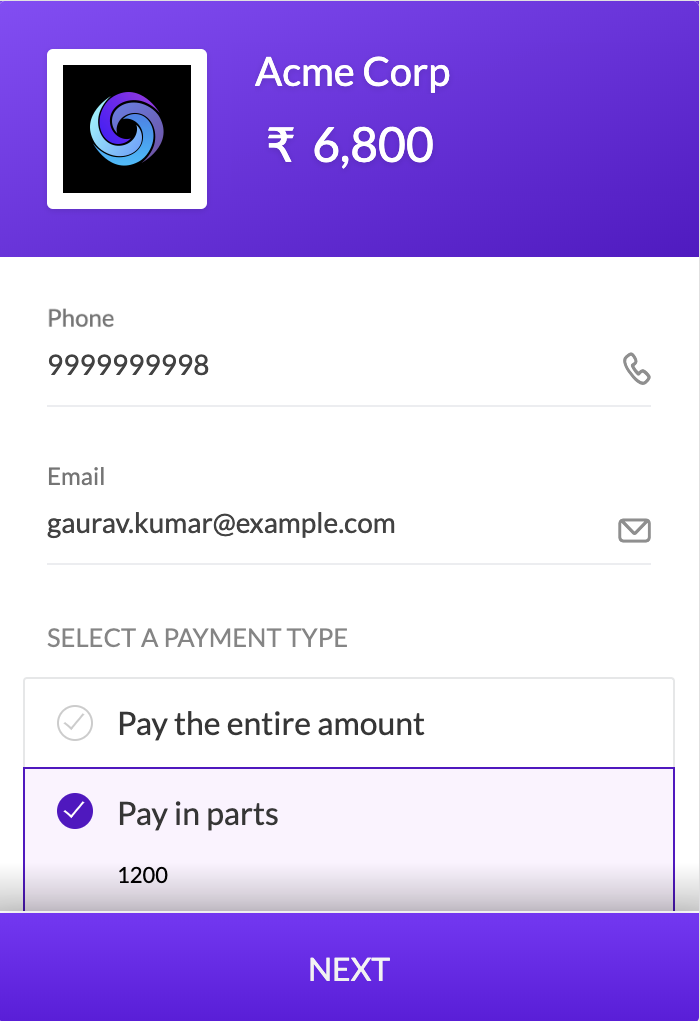
Given below is a comparison of the Checkout section before and after the fields are renamed.
Original Checkout Partial Payment Field Labels | Customized Checkout Partial Payment Field Labels |
|---|---|
 |  |
You can change the labels for the fields related to partial payments.
When you enable partial payments for a Payment Link, the following fields appear in the payment request page:
Pay in fullMake payments in partsPay some now and the remaining laterMinimum first amountYou can replace the labels for these fields with custom labels that are specific to your business use case. You may even display labels in a different language.
Given below is a comparison of the Checkout section before and after the fields are renamed.
Original Checkout Partial Payment Field Labels | Customized Checkout Partial Payment Field Labels |
|---|---|
| |
Razorpay supports the display of labels in different languages.
List of request parameters to be used with the Create Payment Link API to rename labels of fields related to partial payments.
options mandatoryarray Options to rename the labels for partial payment fields in the checkout form. Parent parameter under which the checkout and partial_payment child parameters must be passed.
checkout mandatoryarray The parameter for the Checkout section. partial_payment is its child parameter.
partial_payment.min_amount_label optionalstring Changes the label for the Minimum first amount field.partial_payment.partial_amount_label optionalstring Changes the label for the Make payment in parts field.partial_payment.partial_amount_description optionalstring Changes the label for the Pay some now and the remaining later field.partial_payment.full_amount_label optionalstring Changes the label for the Pay in full field.