Original vs Customized Checkout🔗
Given below is a comparison of Checkout with and without prefilled customer information.
Original Checkout
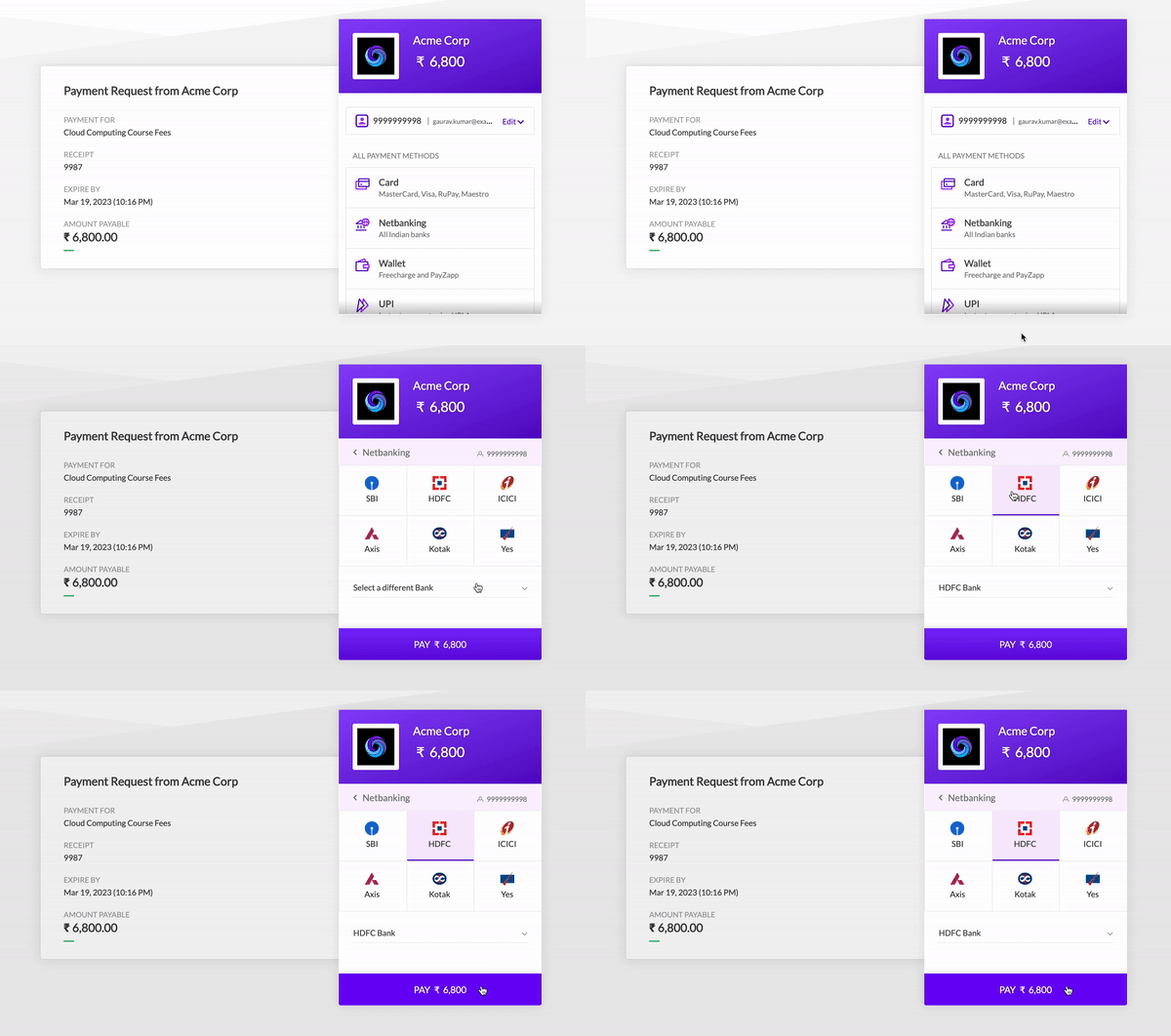
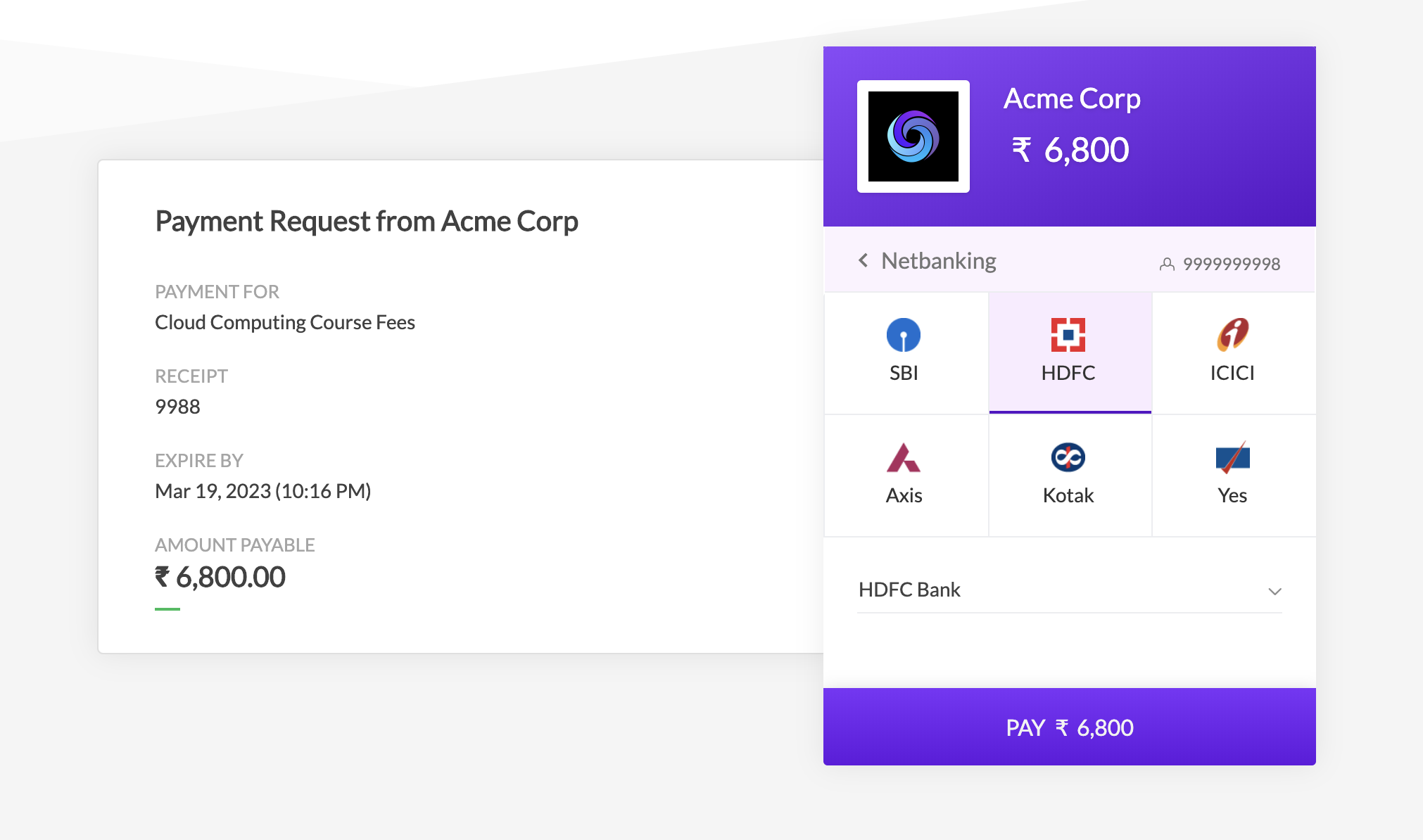
Customized Checkout with Prefilled Payment Method and Bank Name
You can customize the Checkout and prefill the following fields in a Payment Link:
card appears selected as the payment method.
netbanking is the prefilled payment method)Pay in FullMake payment in partsGiven below is a comparison of Checkout with and without prefilled customer information.
Original Checkout
Customized Checkout with Prefilled Payment Method and Bank Name
Prefill the payment method for customers based on their past payment preferences. For example, you can ensure when the customer opens the link, card appears selected as the payment method.
List of request parameters to be used with the Create Payment Link API to create a prefilled, custom Payment Link.
options mandatoryarray Options to customize Checkout. Parent parameter under which the checkout and prefill child parameters must be passed.
checkout mandatoryarray The parameter for the checkout section. prefill is its child parameters. Pass the prefill parameters under this child parameter.
prefill.method optionalstring Pre-selection of the payment method for the customer. Will only work if contact and email are also pre-filled. Possible values are: card netbanking wallet emi upiprefill.bank optionalstring Used to prefill the customer's bank code. The value must be entered in upper case. For example, "HDFC". To be used only when the method selected is netbanking.prefill.wallet optionalstring Wallet code. Required if value of the method is wallet. To be used only when the method selected is wallet.prefill.vpa optionalstring UPI handle for making the payment on the UPI app. To be used only when the method selected is upi.When you use prefill, the customer is directly led to that specific payment method on Checkout. However, they can use the back icon on the top bar and choose another method. You can restrict the customer from selecting another payment method by hiding the top bar. This can be done by setting the hide_topbar parameter to true under the theme parent parameter.
If you have enabled partial payments on the link, the following options will appear in the Checkout section. You can ensure when the customer opens the link, either of these options will appear selected.
Pay in FullMake payment in partsBelow is the list of request parameters that can be used with the Create Payment Link API to customize the Payment Link by preselecting the fields related to partial payment.
options mandatoryarray Options to customize Checkout. Parent parameter under which the checkout and prefill child parameters must be passed.
checkout mandatoryarray The parameter for the checkout section. prefill is its child parameters. Pass the prefill parameters under this child parameter.
prefill.select_partial optionalboolean Set this parameter to 1 to show the Make payment in parts option enabled by default on Checkout. Can be used only when partial_payment is set to 1.prefill.select_full optionalboolean Set this parameter to 1 to show the Pay in full option enabled by default on Checkout. Can be used only when partial_payment is set to 1.