Make Test Payments
Make test payments to Customer Identifiers in Test Mode.
You can make a test payment to a Customer Identifier only in Test Mode.
No Test Payments on Live Mode
- The Make Test Payments feature is only available in Test Mode.
- You can toggle between Live and Test Modes on your Dashboard. Navigate to the top menu ribbon and click the drop-down icon against Live Mode. Toggle to Test Mode and create a new customer identifier.
To make test payments to a Customer Identifier:
- Log in to the Dashboard and click Smart Collect.
- In the list of Customer Identifiers, select the Customer Identifier id to which you want to make a test payment.
- In the right pane, click Make a Test Payment.
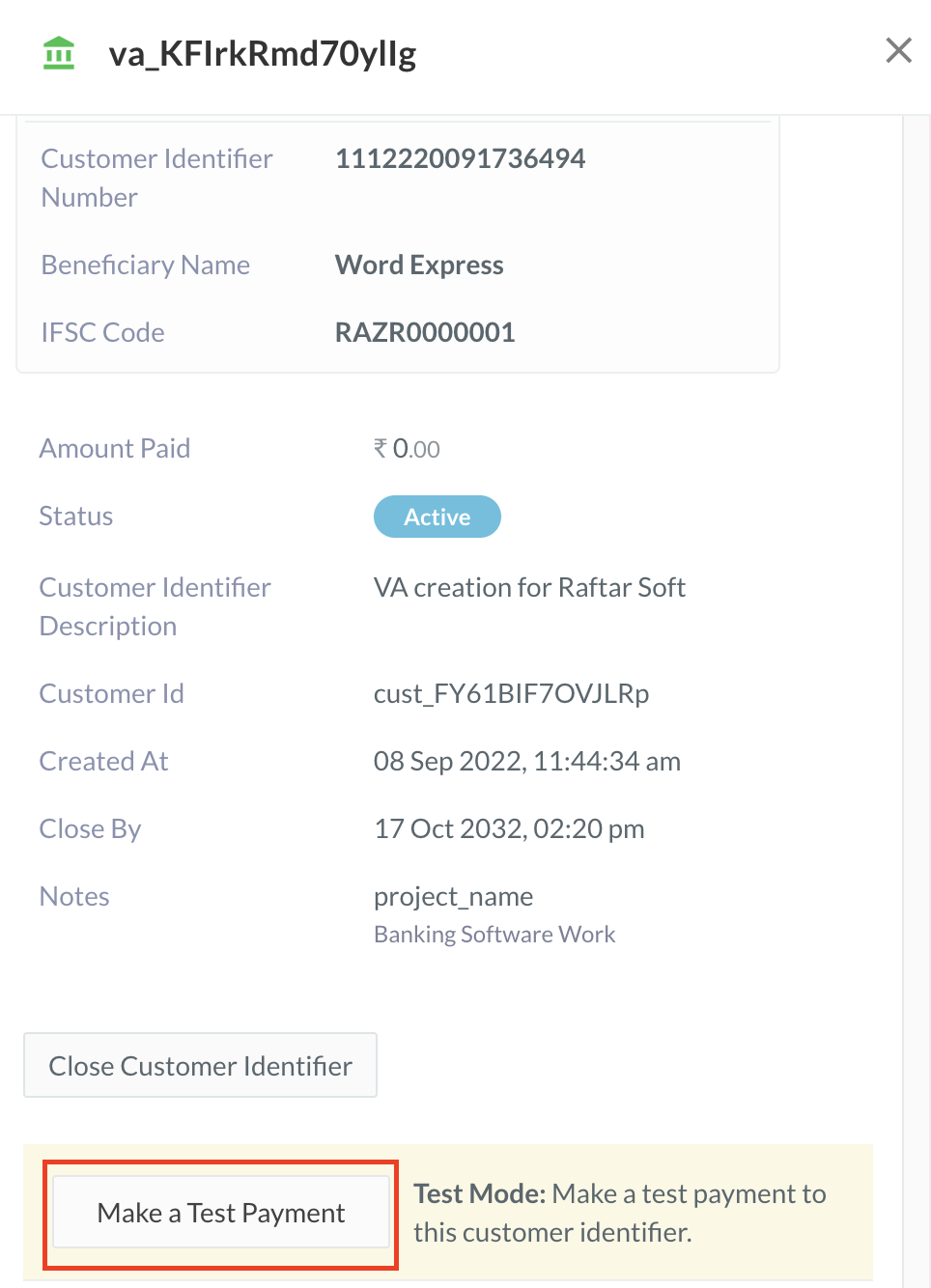
- Enter the following details in the form:
- Amount: Enter the amount to be transferred to the Customer Identifier as the test payment.
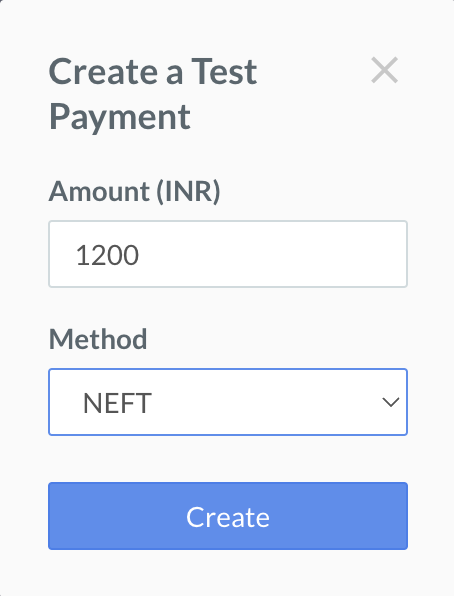
- Method: Select the payment method. You can choose NEFT, RTGS or IMPS.
- Amount: Enter the amount to be transferred to the Customer Identifier as the test payment.
- Click Create.
A success message test payment successful appears, indicating that the payment has gone through. You can verify this on the Customer Identifier list as well.